Version 1.0 : Sept 3, 2024
Purpose : SMPS API Document
This document covers interface APIs for provisioning and activation/deactivation for Skylo IMSIs. These APIs will be integrated with Skylo SMPS for SIM management and Quota enforcement on the IMSIs
Overview
- These APIs are consumed by external entity such Customer (connectivity seller)
- Customers(connectivity seller) are onboarded through Skylo BSS-CRM and unique entity-id is assigned to it
- SIM application service generate secret key for each entity-id for accessing SIM APIs. Each APIs request shall contains entity id and api key to securely access the SIM APIs. These values shall be used in HTTP headers as shown below:
- X-ENTITY-ID: <entity-id>
- X-APIKEY: <api-key>
API for Bulk operation follows two steps approach
- Submit the request for batch of IMSIs for upload or activation/deactivation, this api return “request_number”.
- View the result using “request_number” returned in request apis.
Activation Request - Bulk Operation
- This api is used for activation or provisioning for bulk of IMSIs
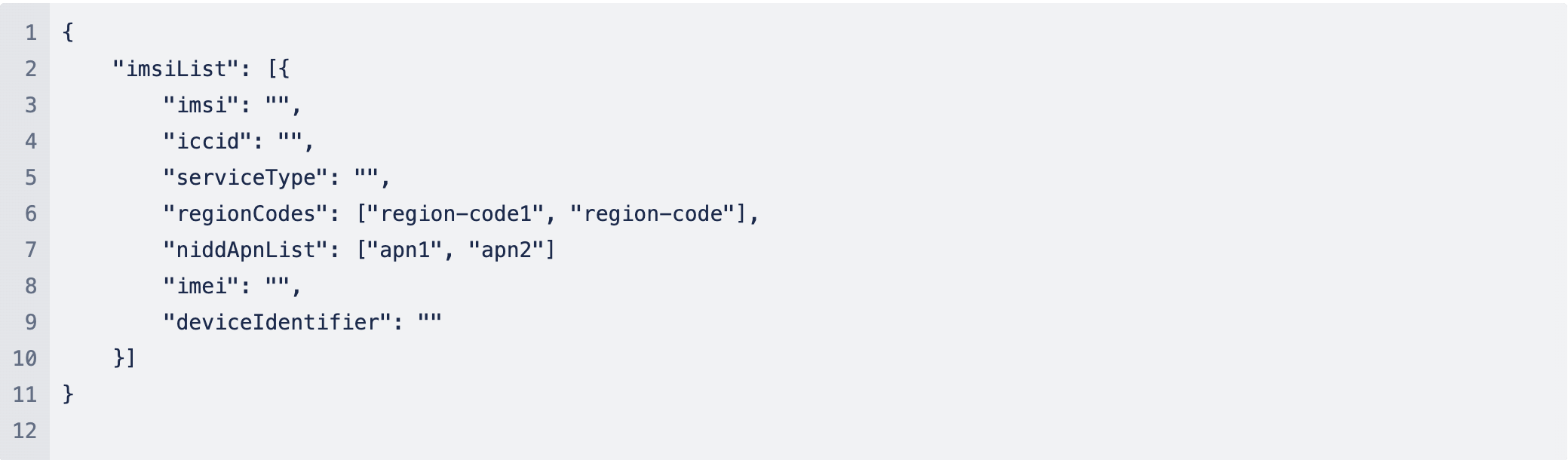
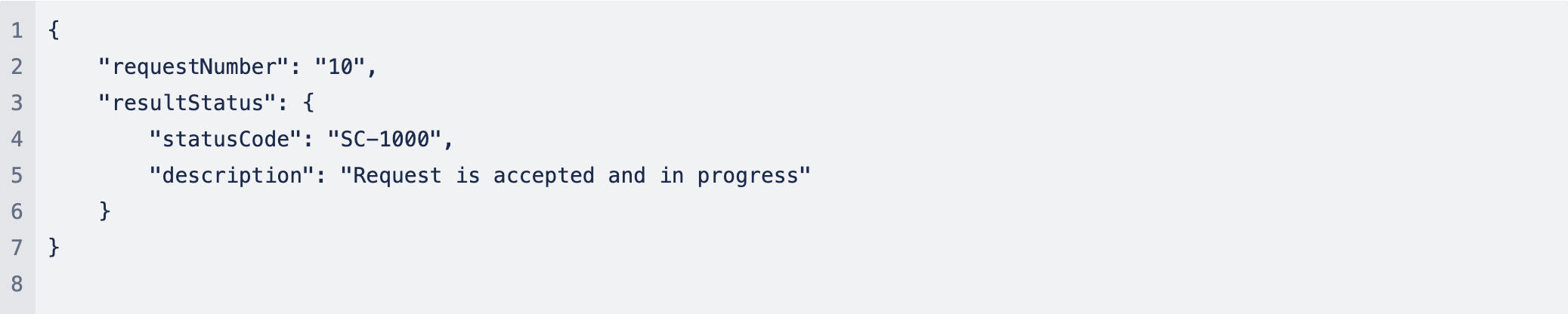
- This api is to submit the request for activation and it will return “requestNumber” that can be use to check the status of API processing using /view-result api.
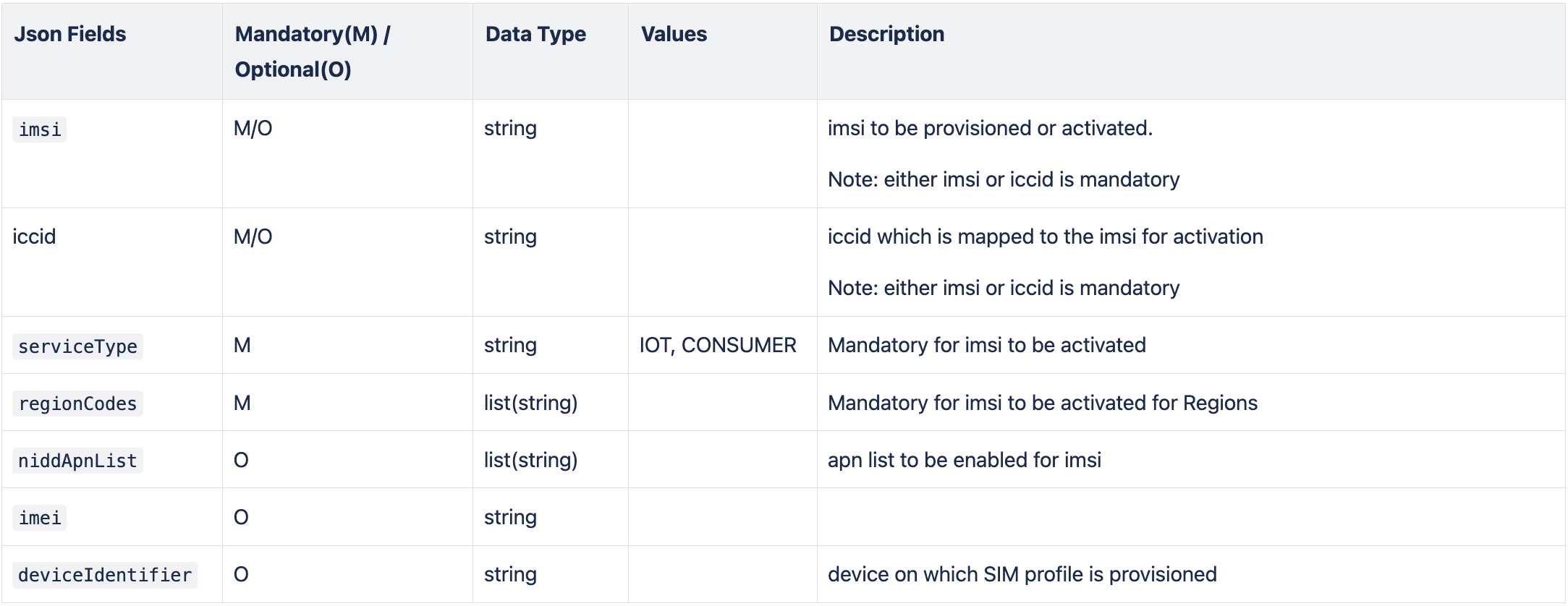
- IMSI is activated only when mandatory fields are provided: imsi, serviceType and regionCodes
- Activation is incrementally applied to the requested region of coverage.
- Same api is used to provision the imsi such as update of niddApnList, deviceIdentifier etc
- APN details is shared with Customer and same APN shall be used while activating the IMSI. IMSI which is not activated for region codes and apn will be not be able to connect to Skylo Network
- As request contains batch of IMSIs to activate, this API will offload processing of each IMSI elements as follow:
- validate presence of mandatory input parameters by applying customer specific settings
- validate presence of IMSI keys in the SMPS Database
- Check duplication of IMSI
API

Mandatory fields for Activation: imsi, serviceType, regions
Parameter Details
Request: Sample Message
Response: Sample Message(success): HTTP 202 Accepted
Response: Sample Message (failure) - HTTP 400 Bad Request

HTTP Status Codes
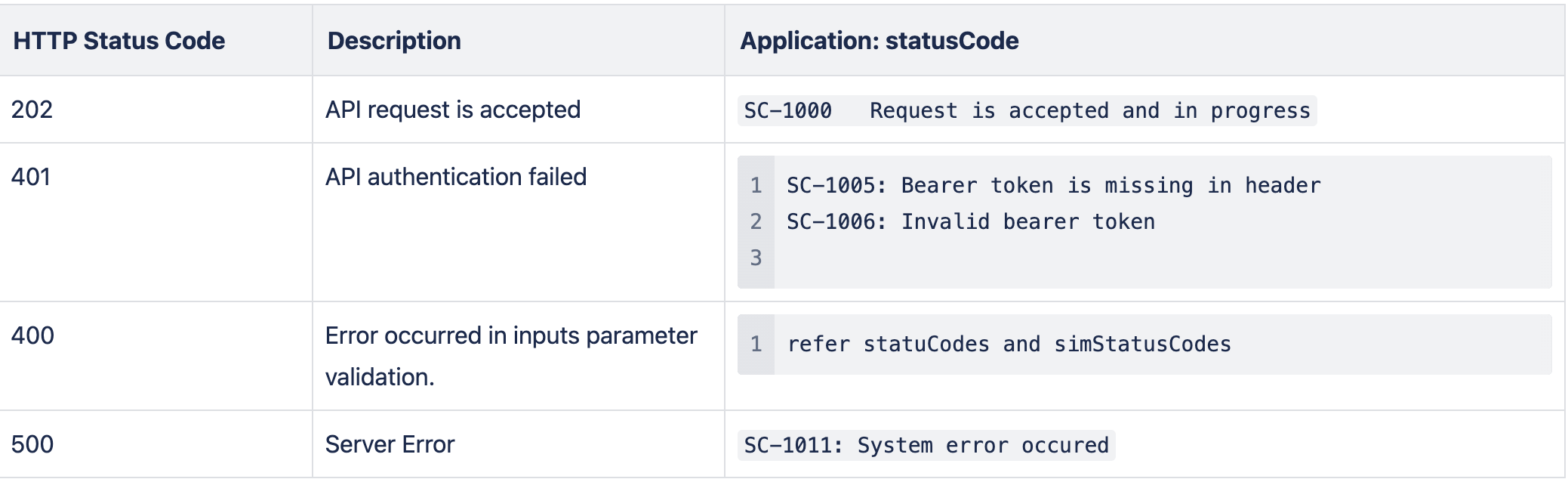
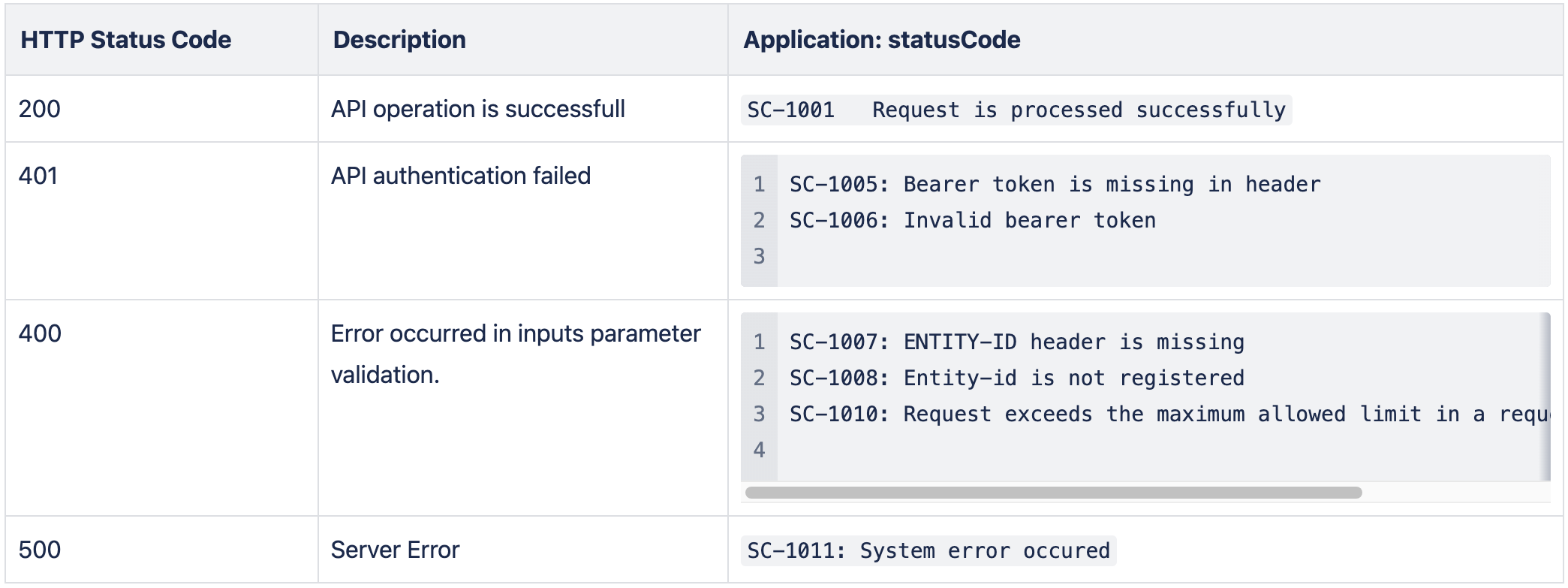
- statusCode: this are error code for api related error
- simStatusCode: these are error code for imsi related error
Activation Request - Single SIM
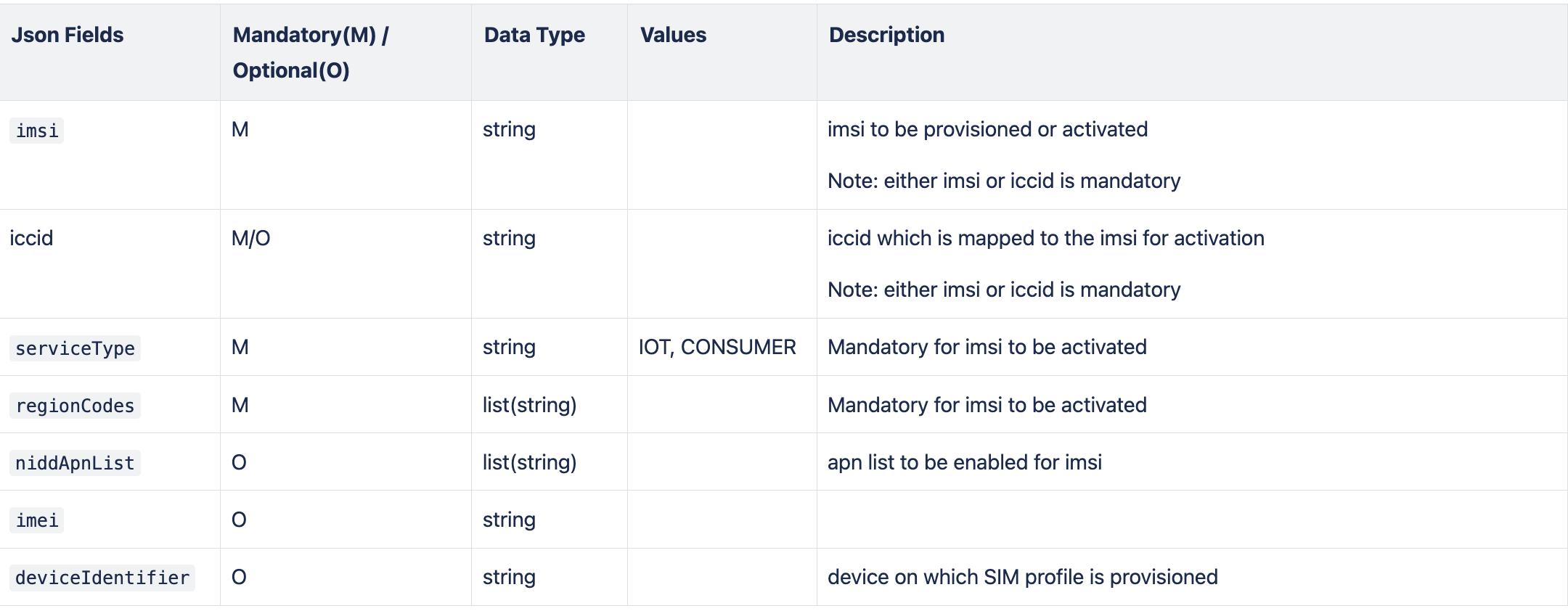
- This API is to activate/provisioning of single SIM and request get processed in the same api call. Response indicate whether SIM got activated or not.
- IMSI is activated only when mandatory fields are provided: imsi, serviceType and regionCodes
- Activation is incrementally applied to the requested region of coverage.
- Same api is used to provision the imsi such as update of niddApnList, deviceIdentifier etc
- APN details is shared with Customer and same APN shall be used while activating the IMSI. IMSI which is not activated for region codes and apn will be not be able to connect to Skylo Network
API

Mandatory fields for Activation: imsi, serviceType, regions
Parameter Details
Request: Sample Message

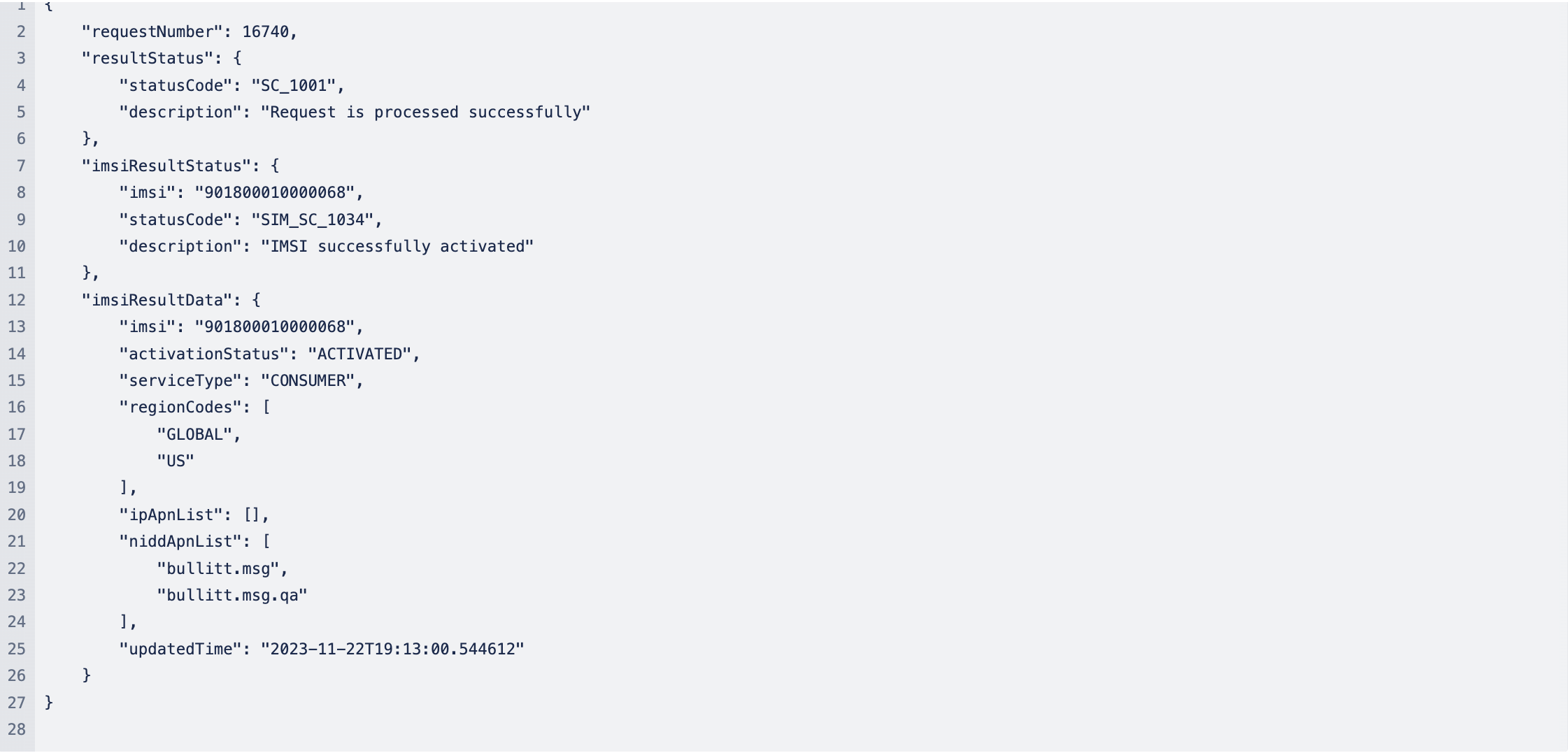
Response: Sample Message(success): HTTP 200 OK (when Request is processed completely)

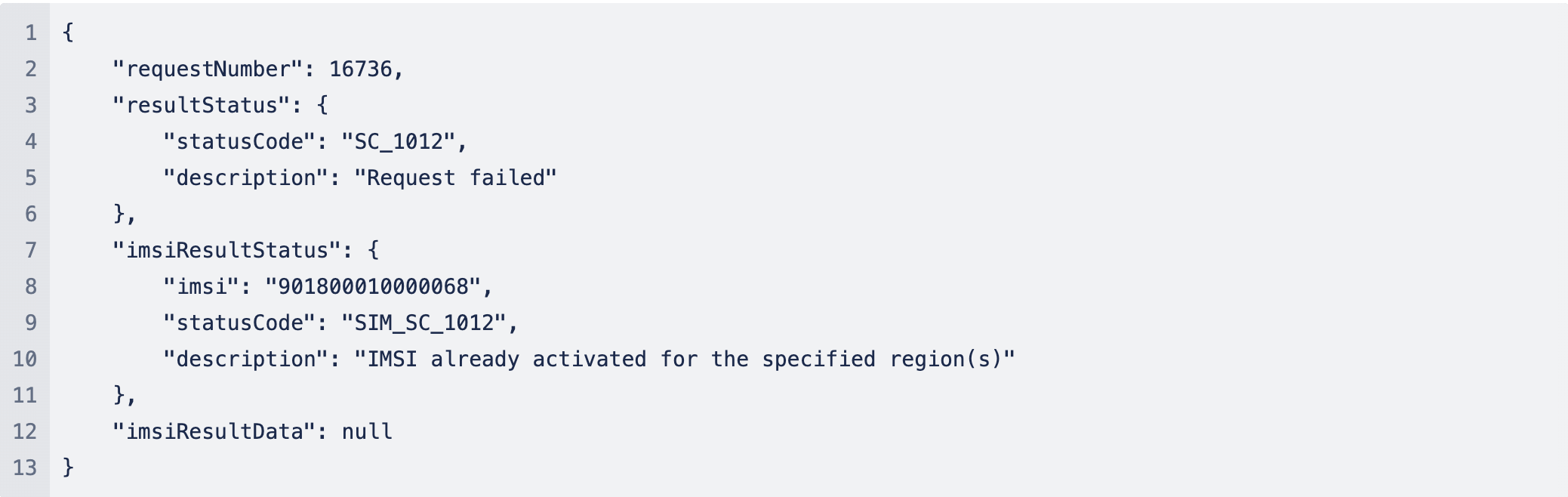
Response: Sample Message (failure) - HTTP 400 Bad Request
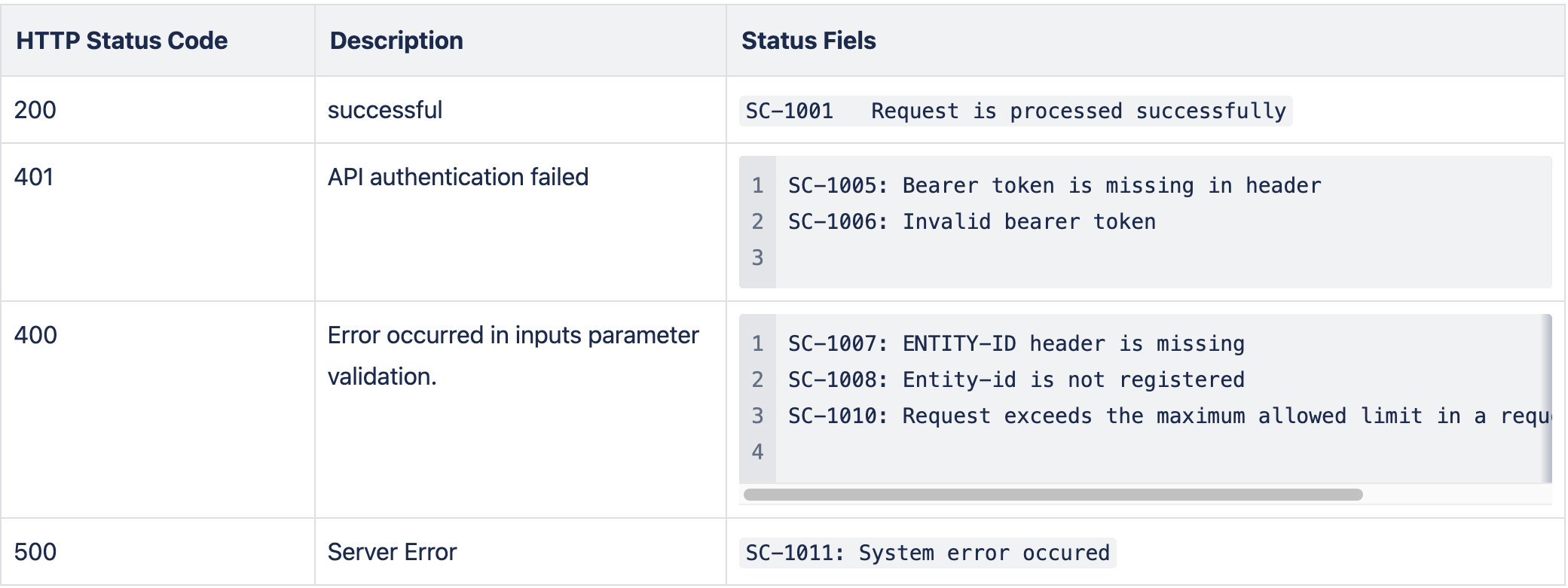
HTTP Status Codes
Deactivation Request - Bulk Operation
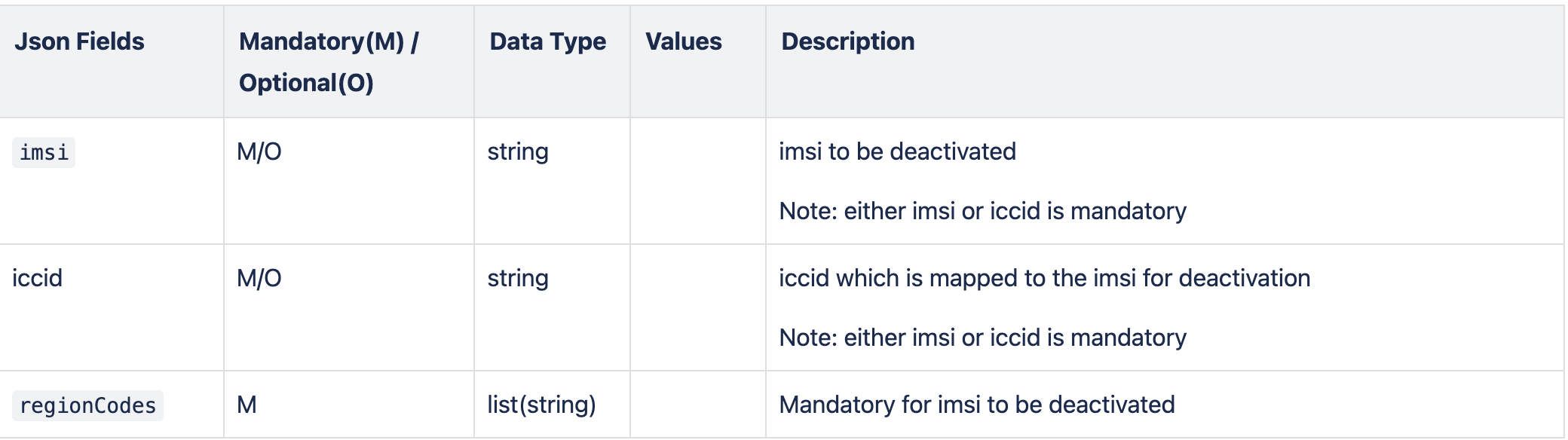
- This api is used for deactivation for bulk of IMSIs
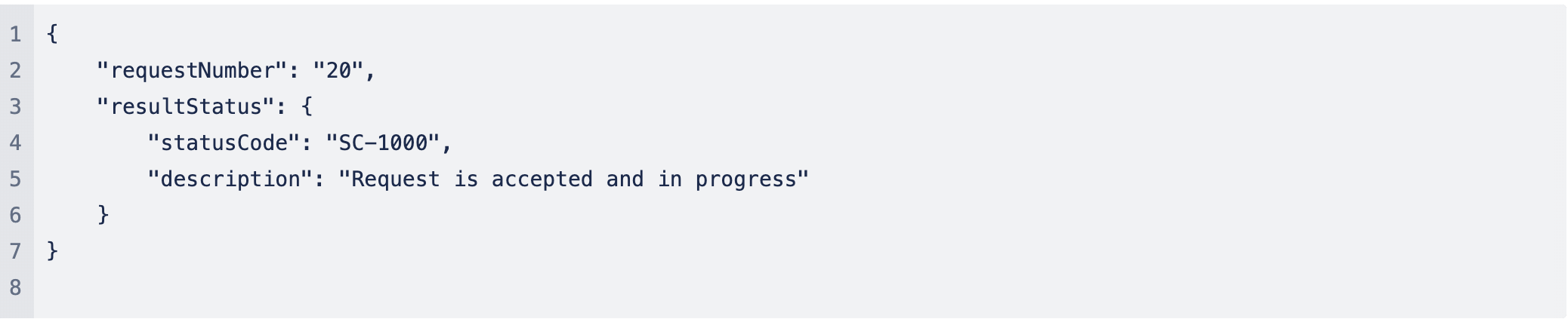
- This api is to submit the request for deactivation and it will return “requestNumber” that can be use to check the status of API processing using /view-result api.
- As request contains batch of IMSIs to be deactivate, this API will offload processing of each IMSI elements as follow:
- validate IMSI is already activated for the regions
- Post successful processing it will deactivate the imsi for that region of coverage. Deactivation is applied only to the requested region and other activated regions continue to remains activated.
API

Parameter Details
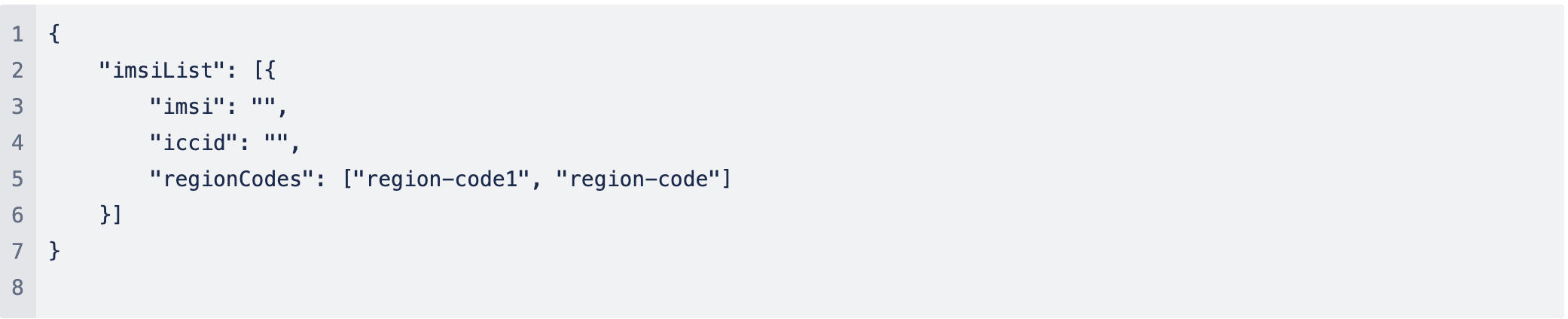
Request: Sample Message
Response: Sample Message(success): HTTP 202 Accepted
Response: Sample Message (failure) - HTTP 400 Bad Request

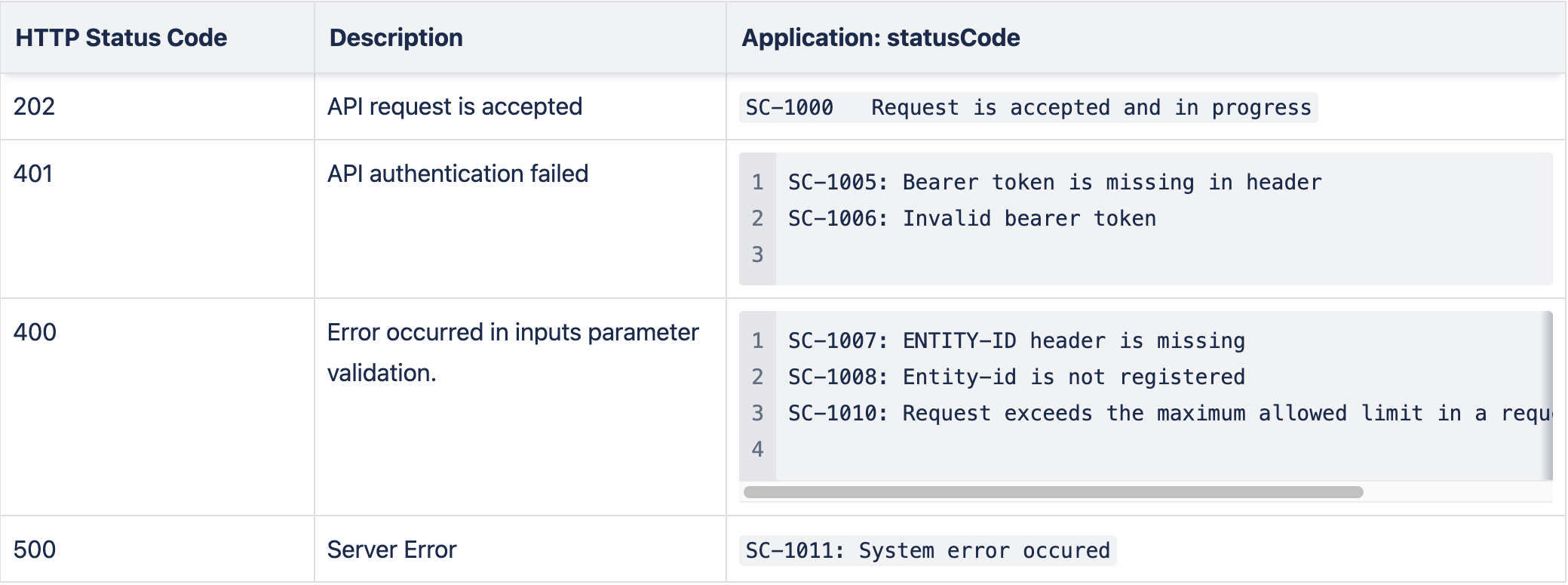
HTTP Status Codes
Deactivation Request - Single SIM
- This API is to deactivate of single SIM and request get processed in the same api call. Response indicate whether SIM got successfully deactivated or not.
- Post successful processing it will deactivate the imsi for that region of coverage. Deactivation is applied only to the requested region and other activated regions continue to remains activated.
API

Parameter Details
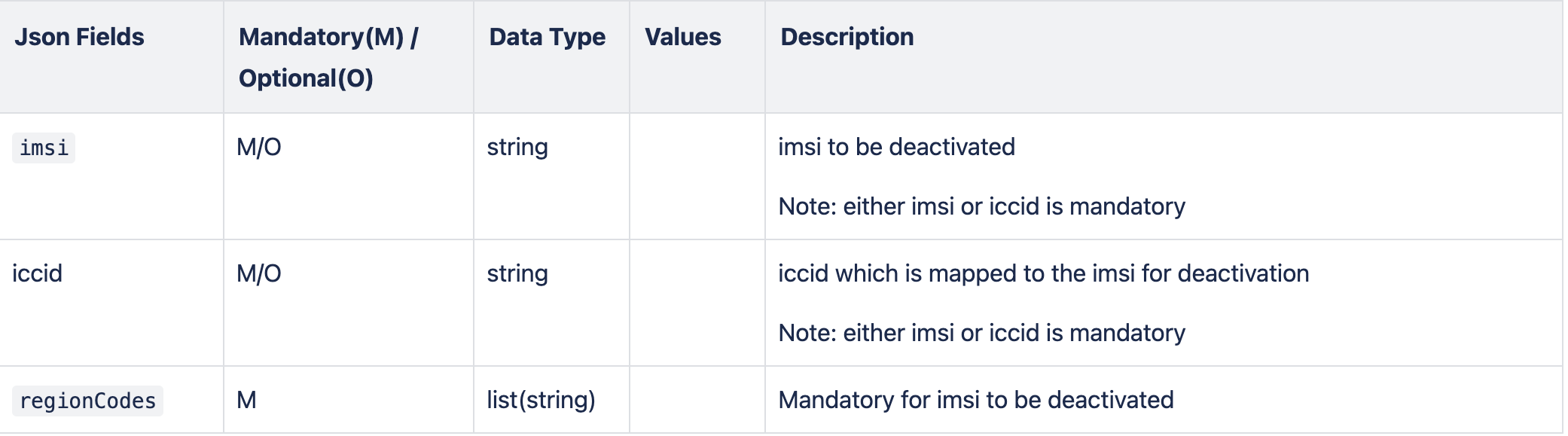
Request: Sample Message

Request: Sample Message

Response: Sample Message(success): HTTP 200 OK (when request is processed)
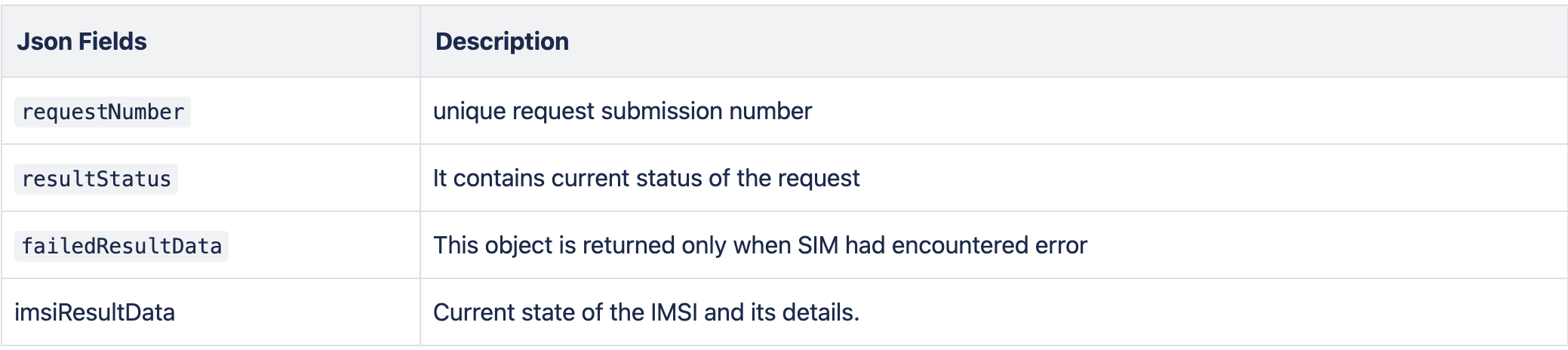
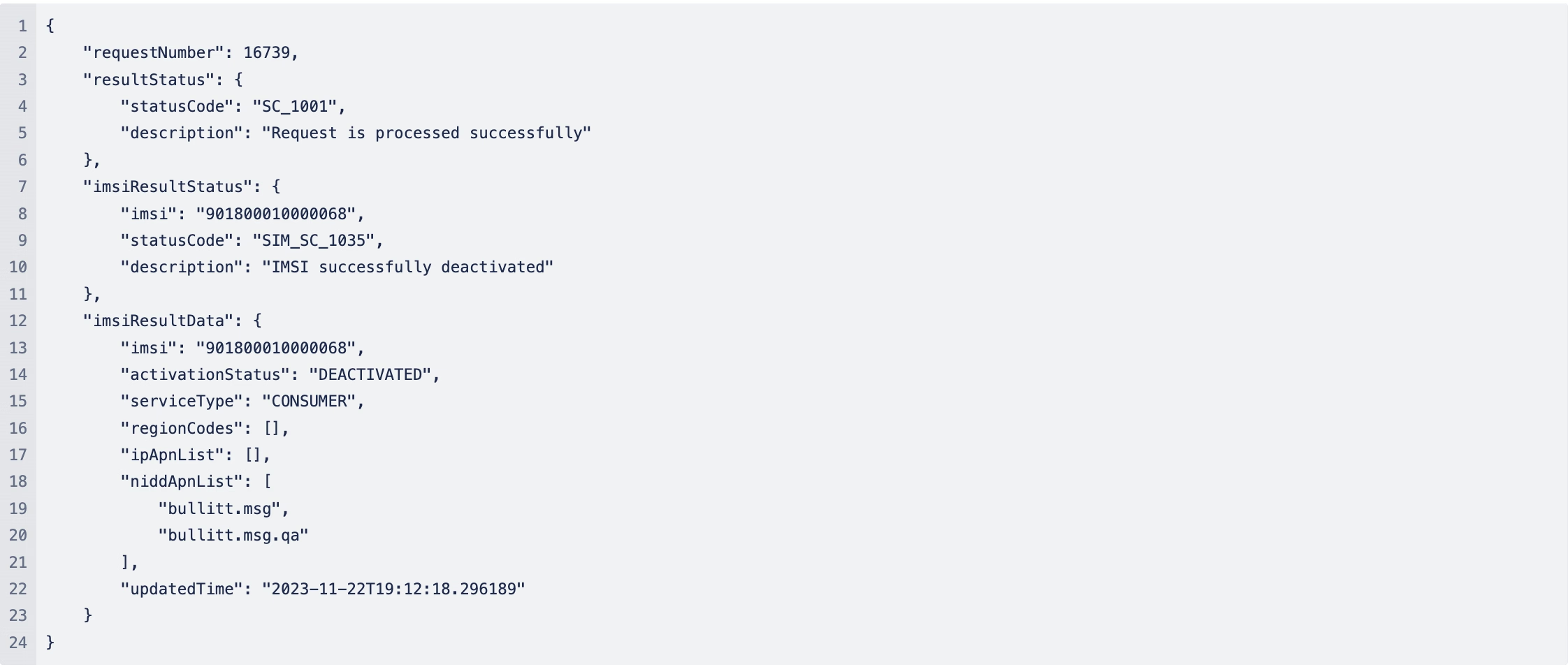
Response: Sample Message (failure) - HTTP 400 Bad Request
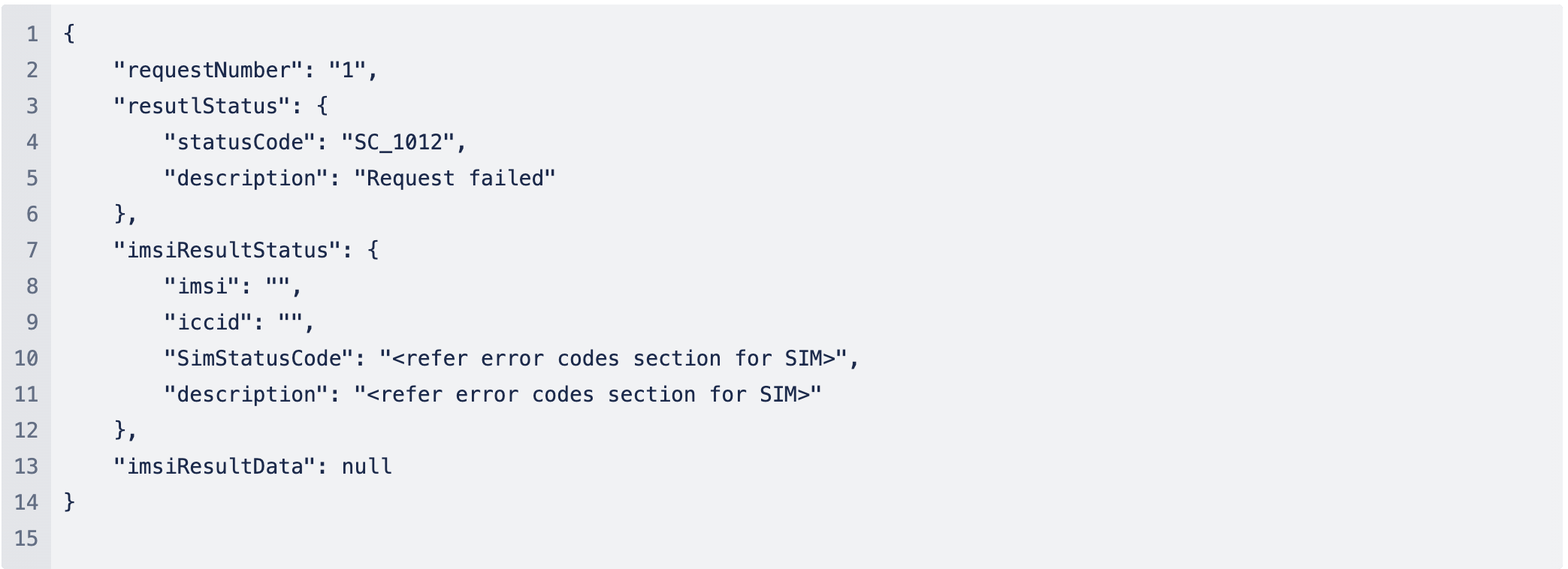
HTTP Status Codes
View Result for Activation/Deactivation request
This APIs purpose is to view result of submitted request for SIM activation/deactivation using “requestNumber”
API

Query Parameter

Request: Sample Message: None
Response: Sample Message when Request is still in process - HTTP 200 OK

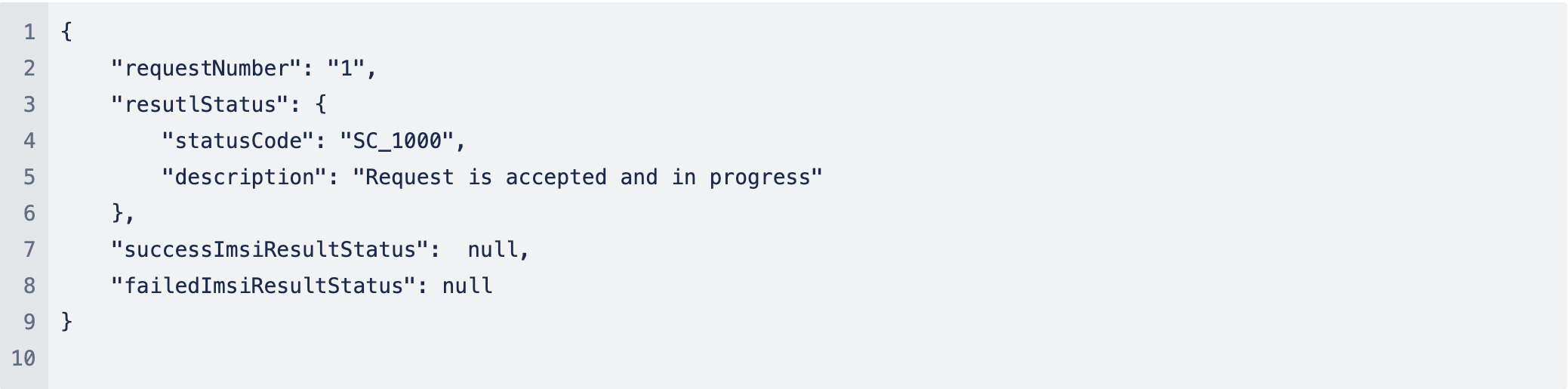
Response: When Request is still in progress - HTTP 200 OK
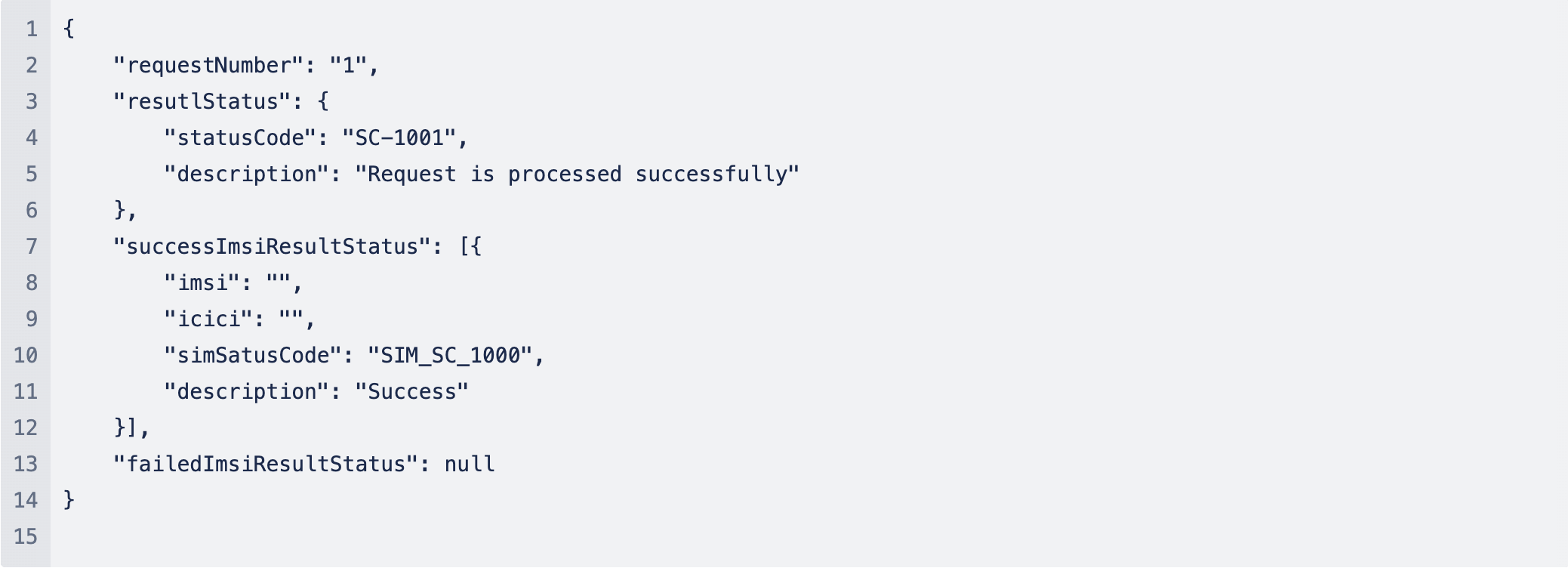
Response: When All IMSIs are processed successfully - HTTP 200 OK
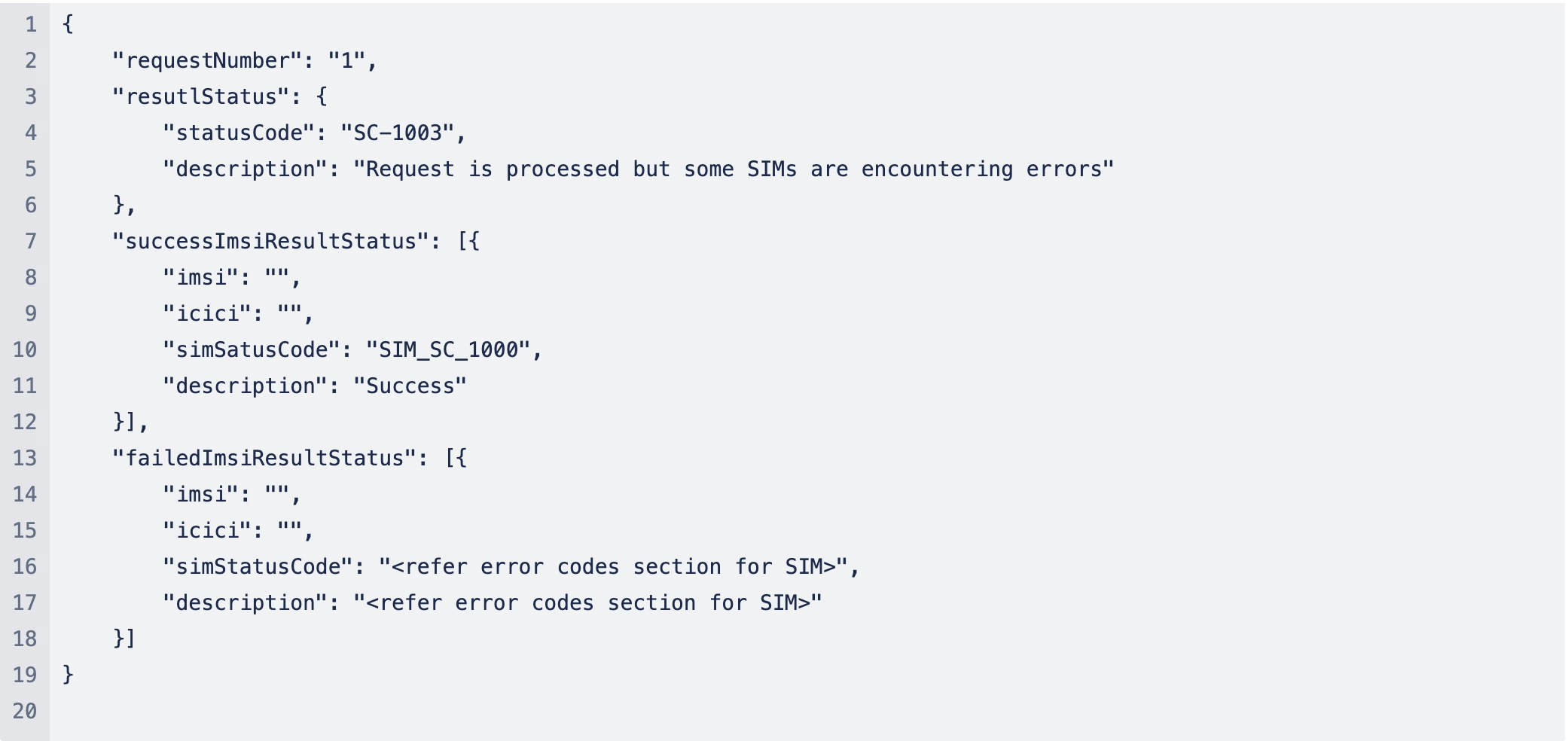
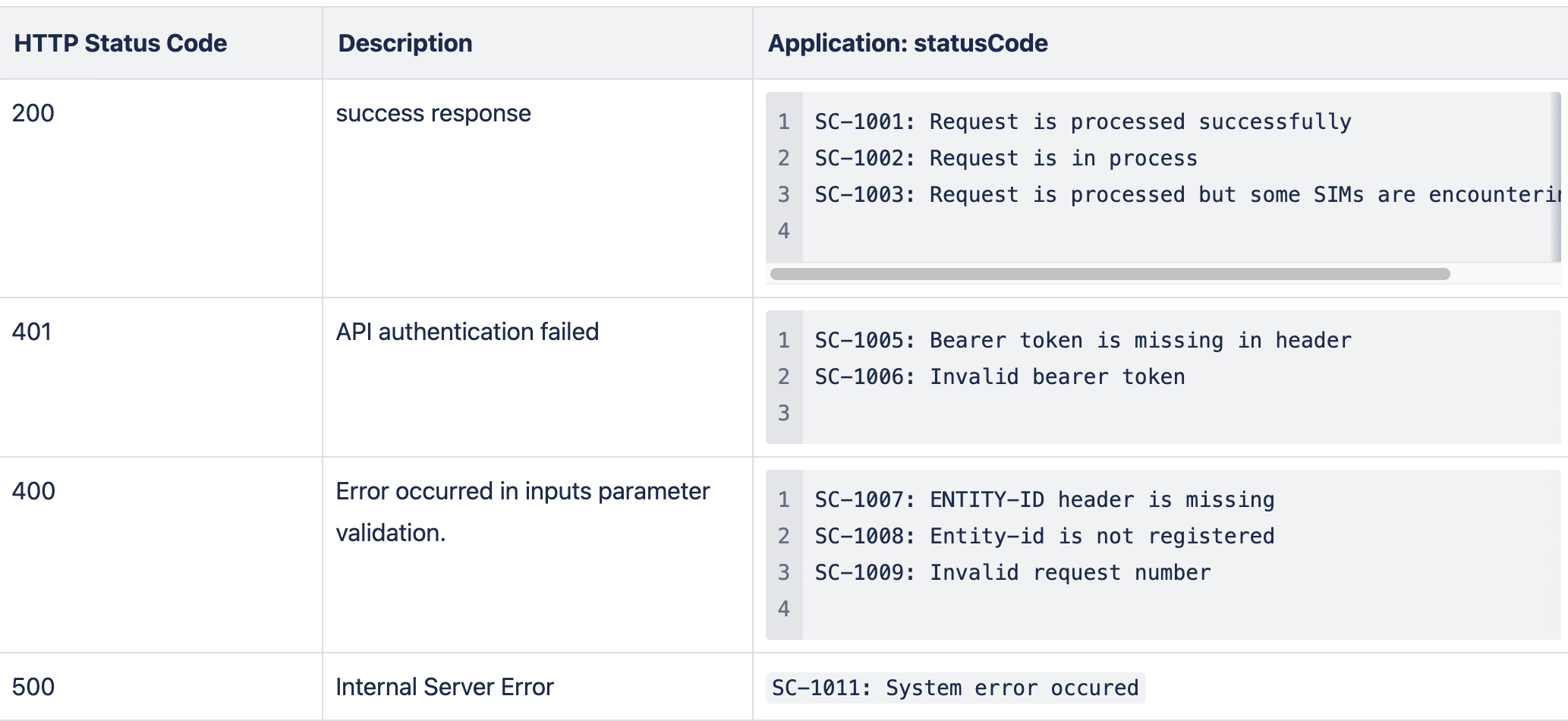
Response: Request processing is completed but some IMSIs are encountering error - HTTP 200 OK
HTTP Status Codes
Fetch specific SIM’s Profile and Status
This APIs is to fetch SIM Profile information for specific sim.
API

Query Parameter

Request: Sample Message: None
Response: Sample Message

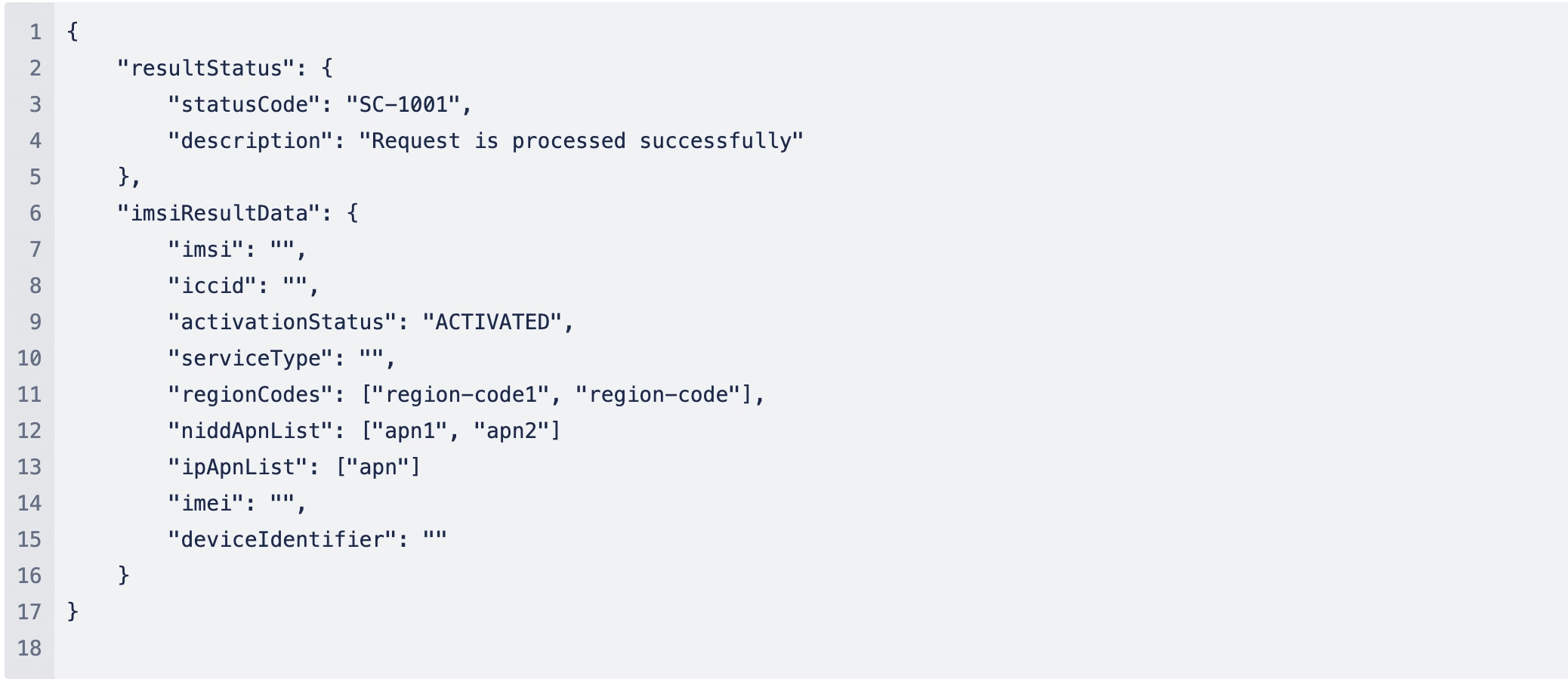
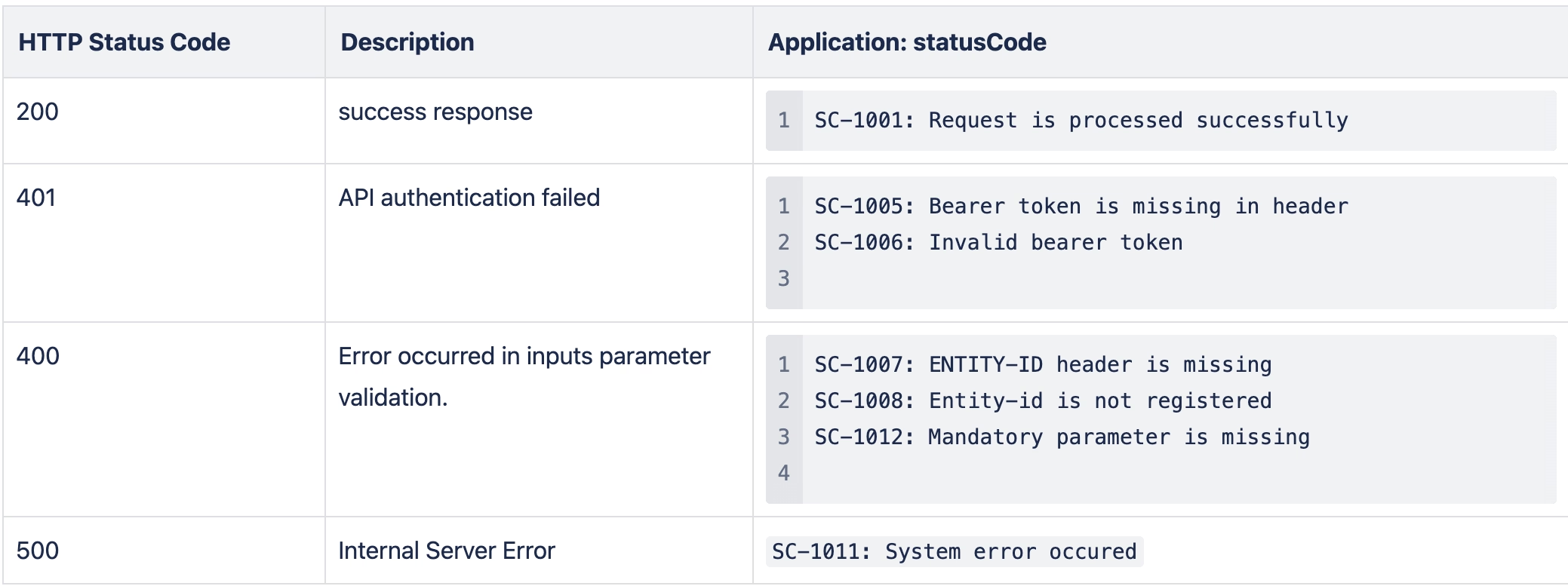
HTTP Status Codes
SIM Errors
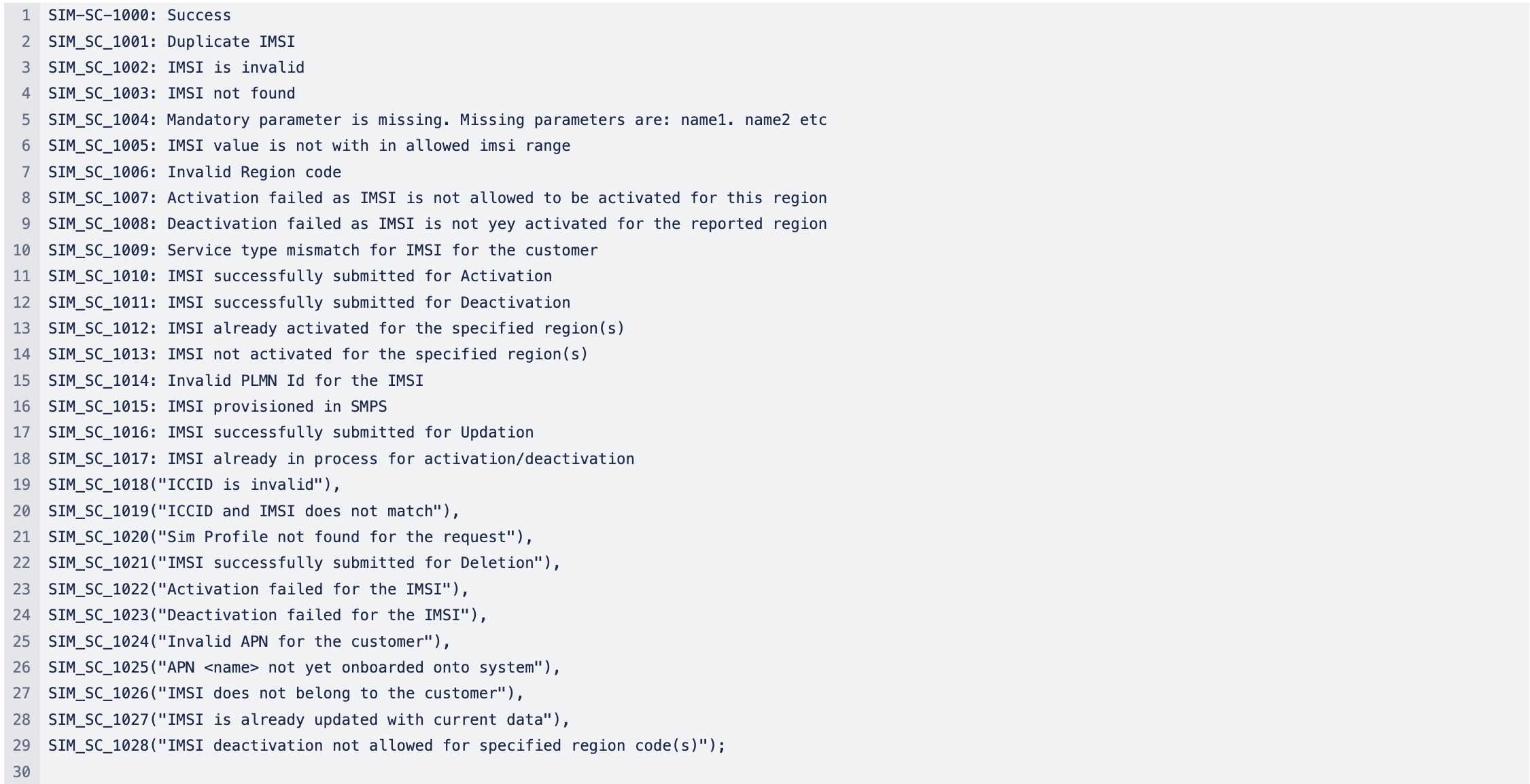
resultData object is return only when statusCode is SC-1003 and for each failed SIMs following error codes is returned in “SimStatusCode"

Status/Error Codes
statusCodes
These status code and descriptions are return for API status
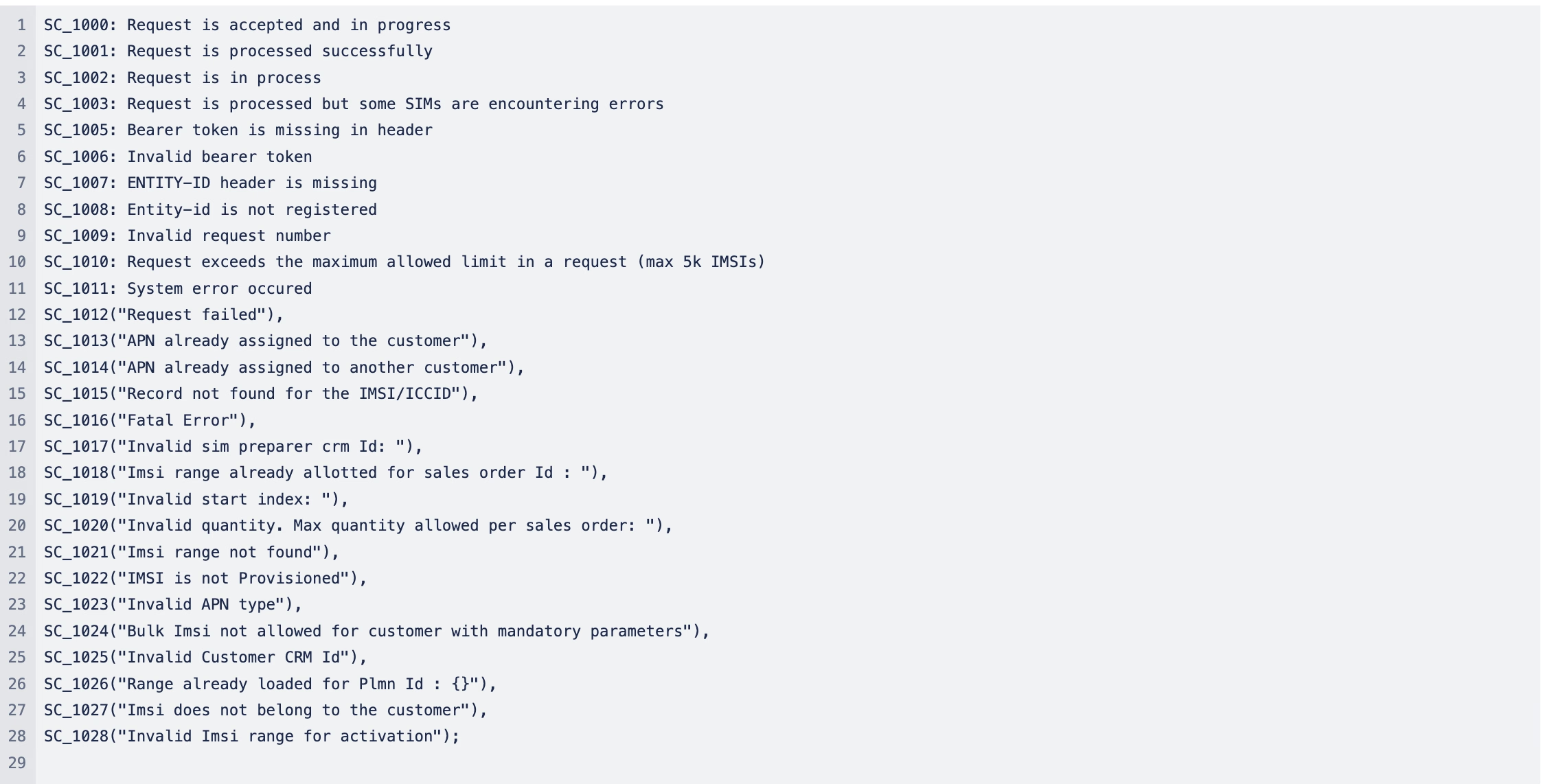
simStatusCodes
These code and descriptions are returns for each IMSI status elements
Appendix A: Region Codes
Skylo will provide the list of Region Codes that customer shall use for activation and deactivation of their IMSI
Each customer are allowed to activate IMSI for their permitted region codes. Api will return error code SIM_SC_1006: Invalid Region code if invalid region code are used or when customer is not allowed to activate the region code.
Appendix B: APN
Customer will be supplied with the APN for their application/services. These APNs shall be activated for an IMSI to send and recv data for the apn
- The UE presenting the IMSI to the network can only send data to activated APNs.
- Only the activated APNs can send downlink traffic for this IMSI
Activation api will return error code SIM_SC_1025("APN <name> not yet onboarded onto system"), if apn is not registered with Skylo
END